Control the brightness and contrast of your screen
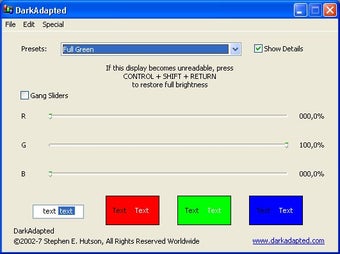
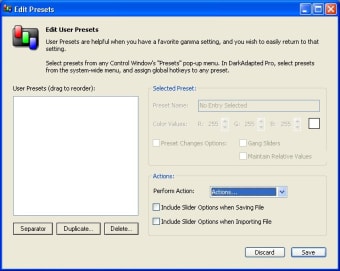
If you've ever needed more control over your screen controls other than those offered by Windows, then DarkAdapted is the program for you. It allows you more control over your screen settings and users may define an unlimited number of gamma presets, and invoke them via global hotkeys, by menu selection, or by typing the first few letters of a preset’s name.
Top Recommended Alternative
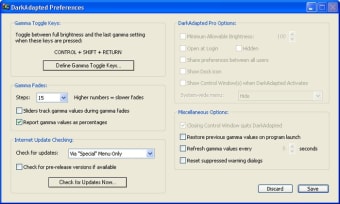
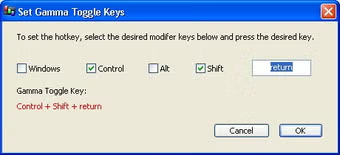
You can use the “Dark Red” setting to preserve your dark adaptation or create a preset to deal with monitor characteristics or viewing conditions. You can also adjust gamma values via sliders or from the keyboard. There's also High-resolution sliders which allow you to adjust red, green, and blue video components individually and in real time. Sliders can be set to report gamma values as percentages or as raw gamma values. You can also use the Gamma Toggle keys to offer a quick return to full brightness with minimum fuss.
For those that want more control over their screen resolution and contrast settings, Dark Adapted provides a powerful solution
Changes
Updated User Guide, Read Me File, License File, and added new Quick Start Guide. All are available via the Help menu (Mac) or Options menu (Windows). Quick Start Guide is offered for viewing when opting to Try DarkAdapted from the Welcome to DarkAdapted window. The dialog may be suppressed. Fixed bug where Gamma Toggle Keys would ignore some displays on multiple-display setups, even with Apply to all displays was specified. The pricing structure for DarkAdapted Standard and DarkAdapted Pro has changed. Read more here. DarkAdapted maintains registration information between DarkAdapted 2.x and 3.x. When a demo period ends — and the DarkAdapted Preferences window is open — preferences are now saved for the next demo period and/or when DarkAdapted is registered. Improved memory management. Eliminated slight CPU usage when DarkAdapted was inactive and not set to refresh gamma setting periodically. Gamma fades that affect multiple screens now occur simultaneously instead of consecutively. Examples include invoking a Preset Set and implementing Gamma Toggle Keys that are set to affect all displays.